Download. Import. Run.
Every workflow is tested on a real server. Not a demo. Import the JSON into n8n and follow the tutorial.
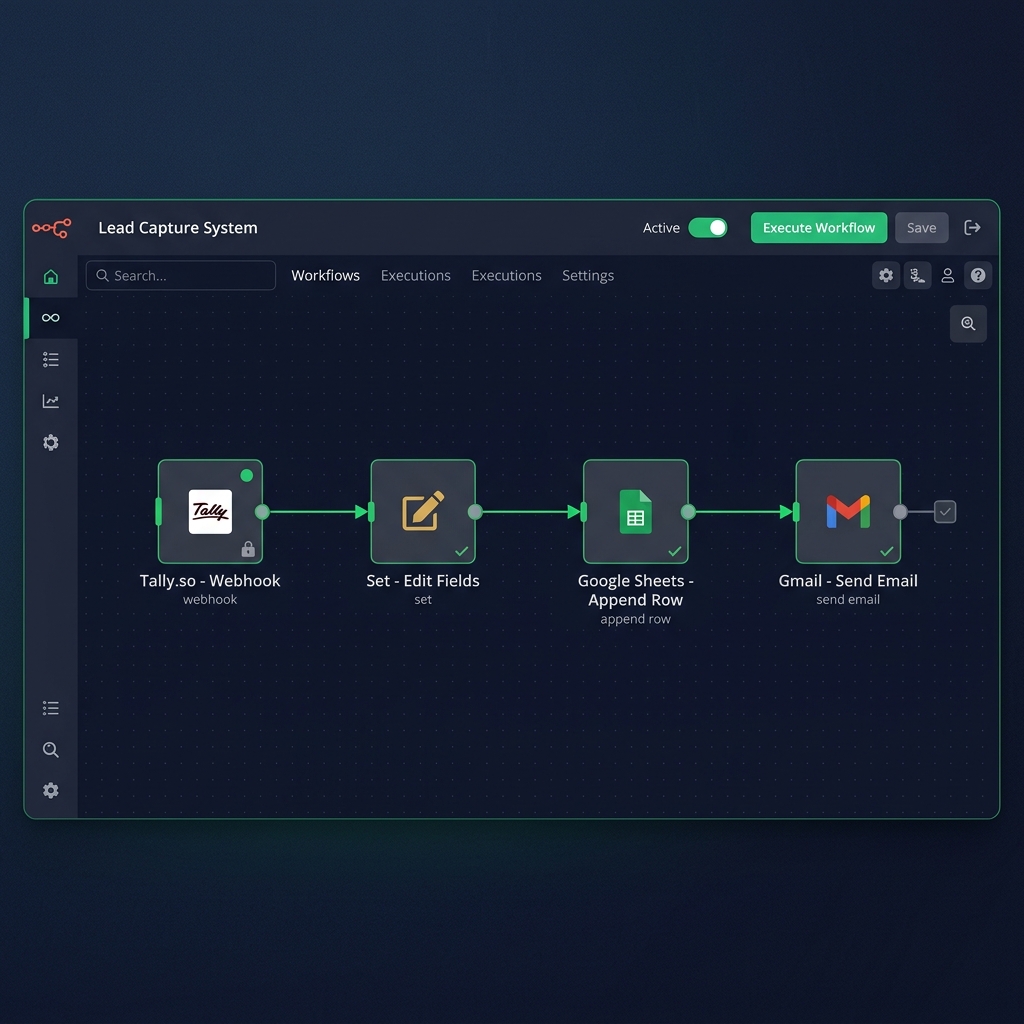
Lead Capture System
Automatically captures contact form submissions. Saves leads to Google Sheets instantly. Sends a professional thank you email to every lead automatically.
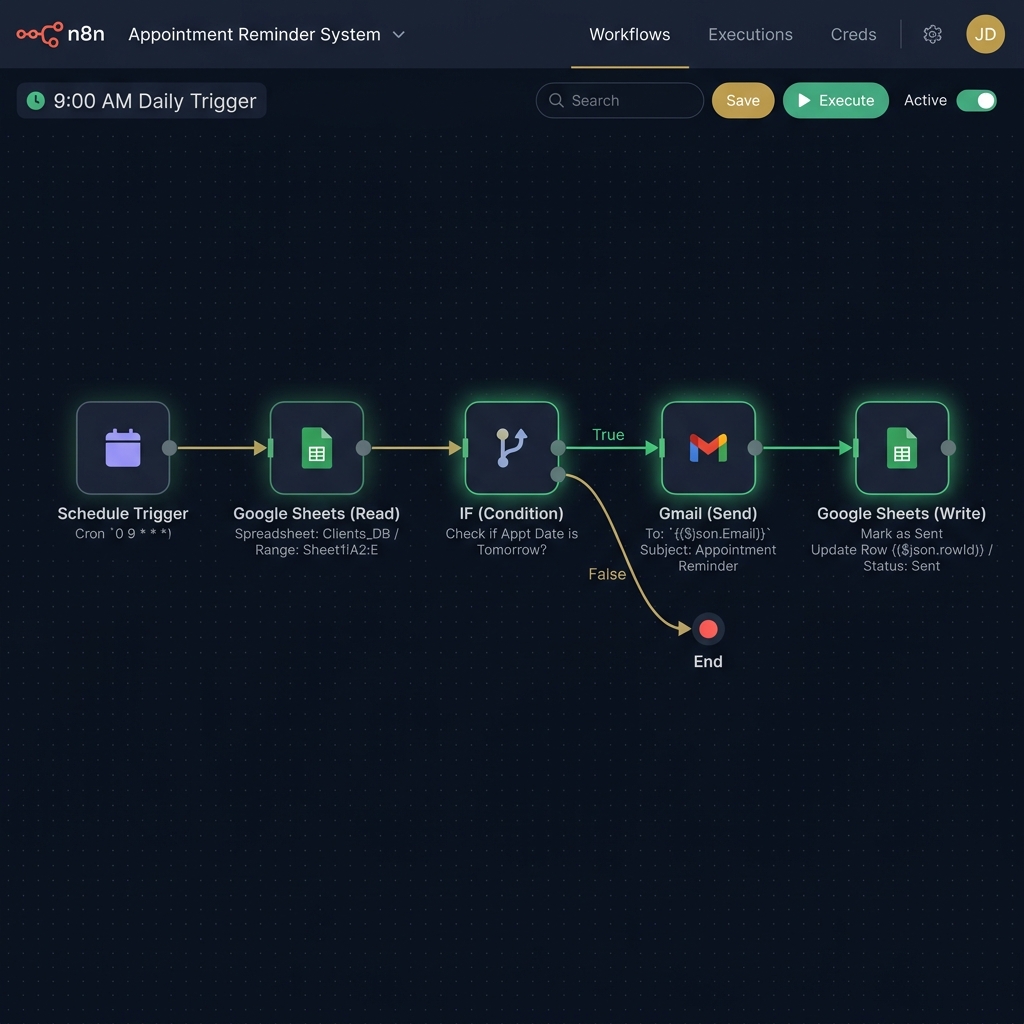
Appointment Reminder System
Runs every morning at 9am automatically. Detects next day appointments. Sends professional reminder emails to clients. Marks reminders as sent to prevent duplicates.
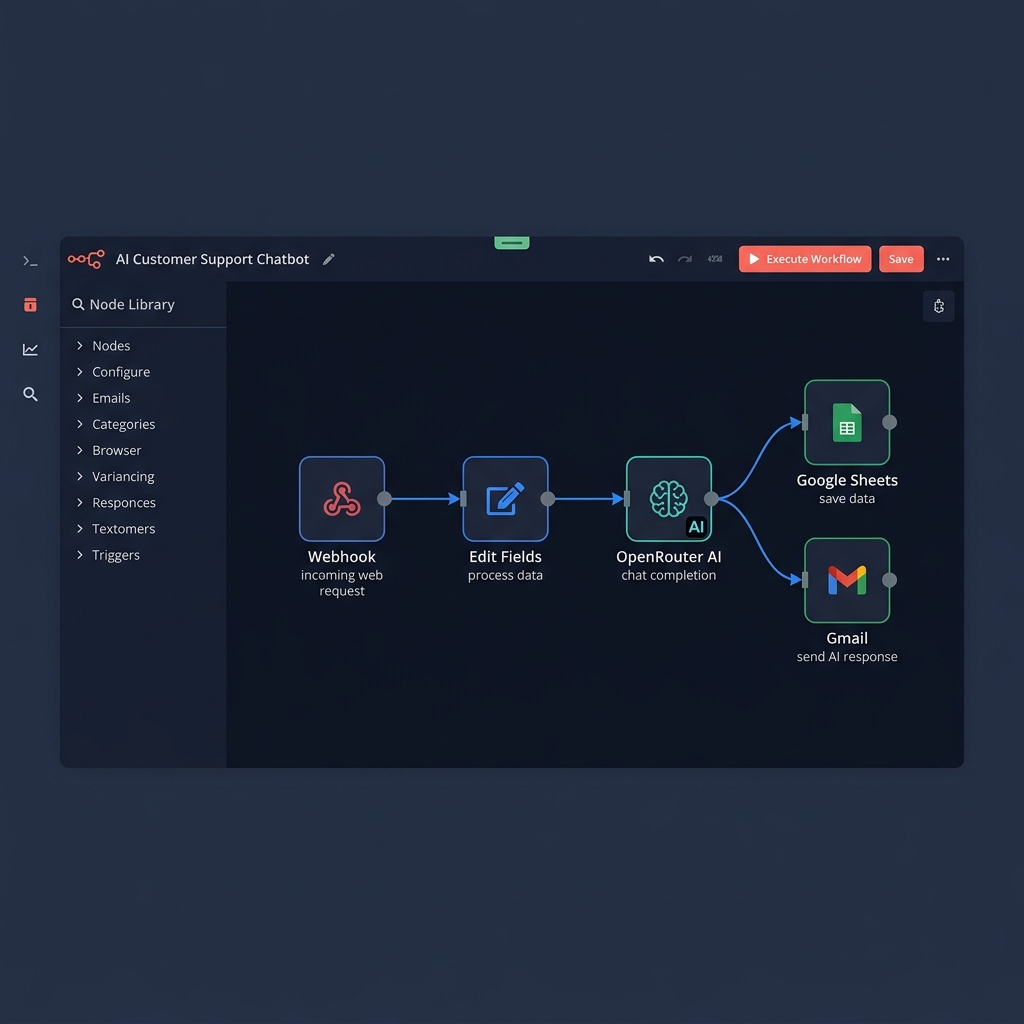
AI Customer Support Chatbot
Answers customer questions instantly using AI. Captures visitor details automatically. Saves all data to Google Sheets. Sends AI response directly to visitor email.
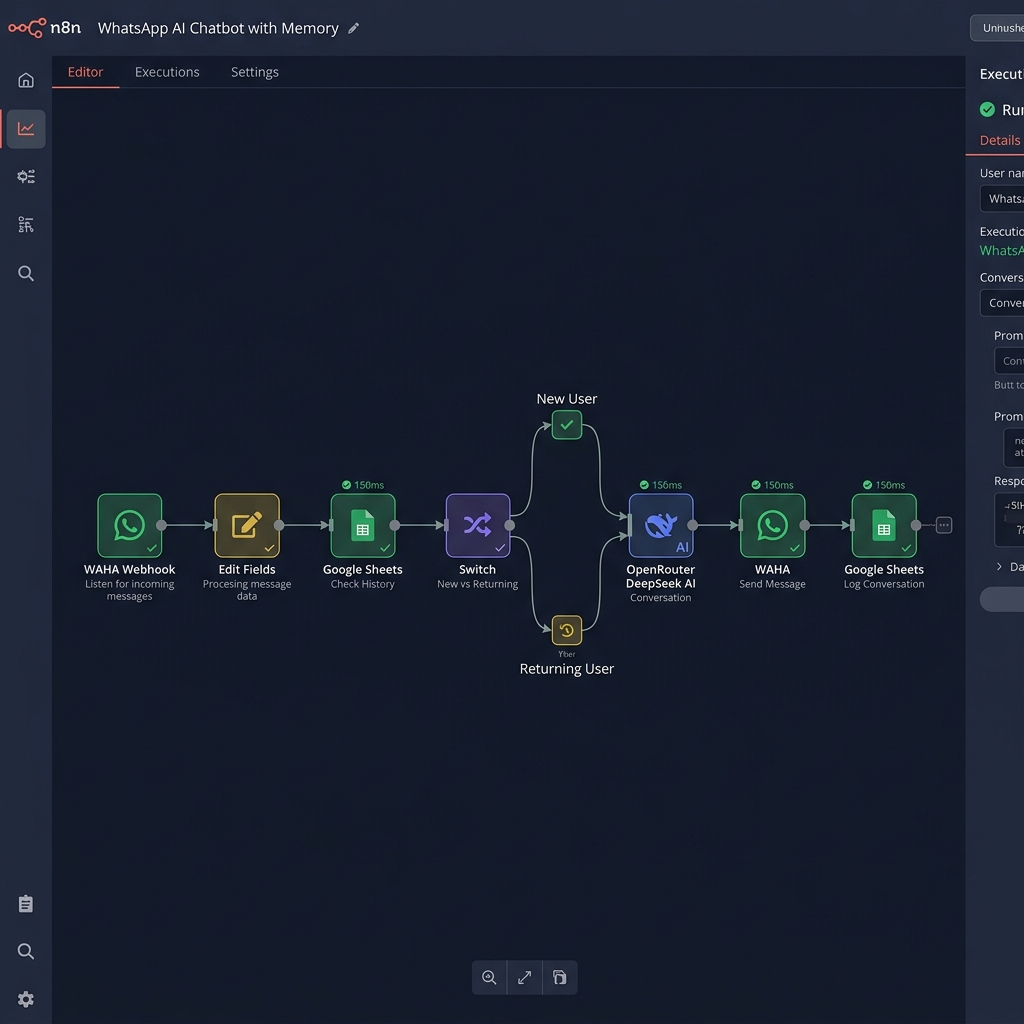
WhatsApp AI Chatbot with Memory
Receives WhatsApp messages automatically. Identifies new vs returning customers. Sends intelligent AI responses with conversation memory. Logs everything to Google Sheets 24/7.